

Why templates save you time and mistakes
Building an inventory system from scratch takes hours of trial and error. Templates give you a tested starting structure that you can customize to your business. Instead of deciding which columns to include or how to format your count sheets, you start with a proven layout and adjust from there.
The templates in this collection cover the most common inventory management needs for small businesses: cataloging products, tracking movements, counting stock, and managing reorders.
Inventory list template

Your inventory list is the master catalog of everything you stock. It includes one row per product with columns for SKU, product name, category, quantity on hand, unit cost, selling price, location, and reorder point.
Use this as your central reference. Every other template connects back to it through the SKU field. Keep it updated as you add or discontinue products.
Read the full inventory list template guide
Inventory log template
The inventory log records every stock movement chronologically. Each entry captures the date, SKU, transaction type (received, sold, adjusted, returned), quantity, running balance, reference number, and who made the entry.
This is your audit trail. When counts do not match records, the log tells you where things went wrong.
Read the full inventory log template guide
Inventory checklist template
Use this checklist before, during, and after physical counts. It covers preparation steps like pausing shipments and assigning zones, counting procedures like two-person verification, and reconciliation steps like investigating variances.
A consistent checklist ensures every count follows the same process, regardless of who is counting.
Read the full inventory checklist template guide
Inventory sheet template
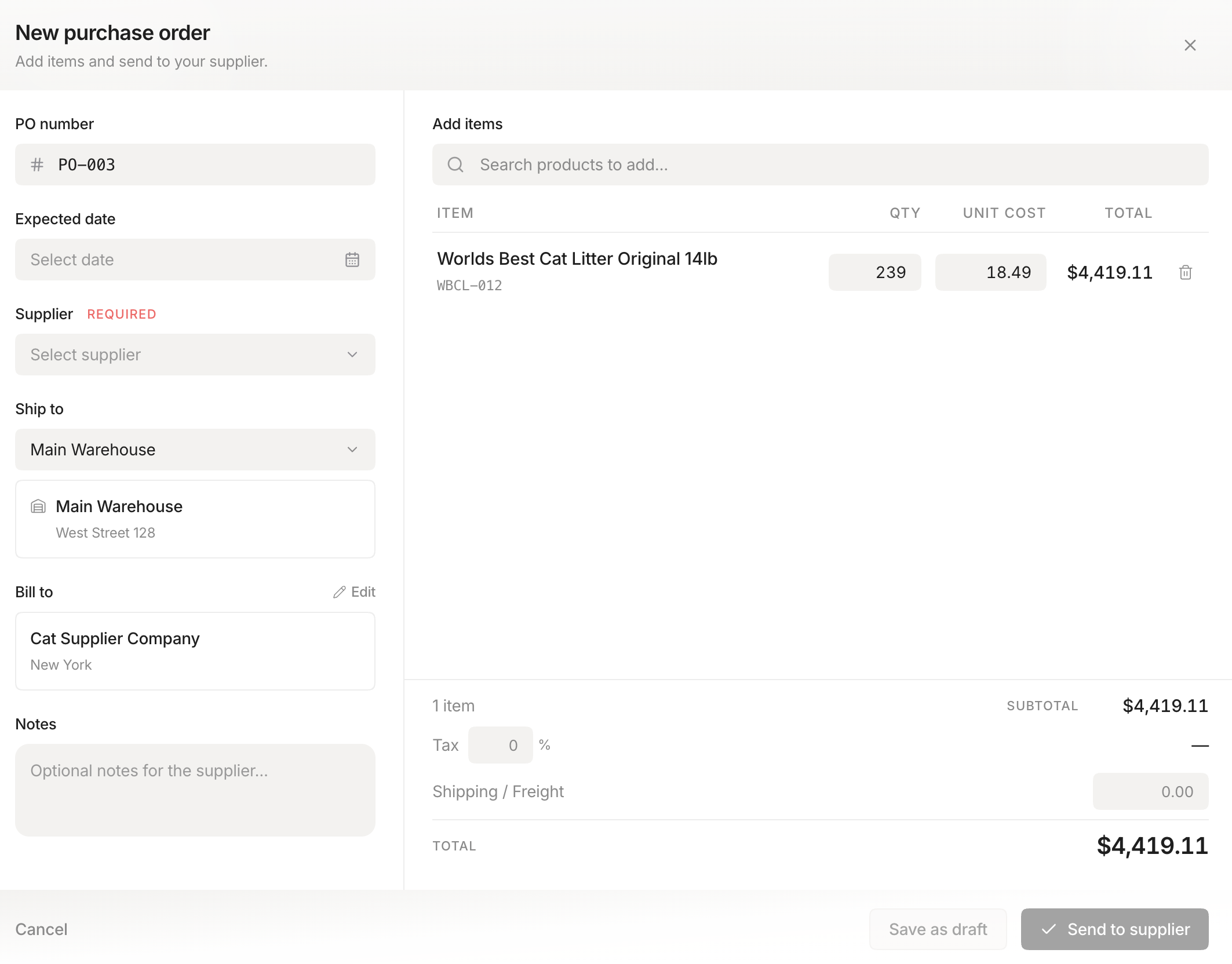 Stockria in action - Create and send purchase orders in seconds.
**
Stockria in action - Create and send purchase orders in seconds.
**
The inventory sheet is your printed count form. It lists each location and product with space to record counted quantities, expected quantities, and variances. Designed to follow the physical layout of your storage area so counters can work through it in order.
Print enough copies for each zone and give each counter their assigned section.
Read the full inventory sheet template guide
Inventory tracking template
The tracking template combines your product list with movement tracking in a single view. It includes columns for current stock, recent transactions, reorder status, and supplier information. Formulas calculate running totals and flag items that need reordering.
This is a good all-in-one option for businesses that want a single spreadsheet instead of multiple files.
Read the full inventory tracking template guide
Inventory management Excel template
The Excel template is the most comprehensive option. It uses multiple tabs for your product master list, current stock levels, and transaction log. Includes formulas like SUMIF for calculating stock from transactions, VLOOKUP for pulling product details, and conditional formatting for low stock alerts.
Best for businesses comfortable with spreadsheets who want more automation without moving to dedicated software.
Read the full Excel template guide
Choosing the right template
Your choice depends on where you are in your inventory management journey:
- Just getting started? Begin with the inventory list template. Get all your products cataloged first.
- Need to track daily movements? Add the inventory log template.
- Preparing for a physical count? Use the checklist and sheet templates together.
- Want everything in one place? The tracking template or Excel template consolidates multiple functions.
Start with one template, use it consistently for a few weeks, and add others as your needs grow.
Beyond templates
Templates are an excellent starting point, but they have a ceiling. Manual data entry takes time, errors are inevitable with multiple people updating spreadsheets, and scaling across locations or sales channels is difficult. When your templates start feeling like a bottleneck instead of a help, that is the signal to explore inventory management software that automates the work these templates do manually.