

What inventory management is
Inventory management is knowing what you have, where it is, how much it is worth, and when to order more. That is it. Everything else - the software, the methods, the jargon - is just a way to do those four things better.
For a small business, good inventory management means you never tell a customer "sorry, we are out of that" when the product is actually sitting in the back room. It means you never order 500 units of something that takes a year to sell. And it means you always know, within a reasonable margin, how much your inventory is worth.
Why it matters more than you think

Cash flow. Inventory is money sitting on shelves. Too much inventory ties up cash you could use for marketing, payroll, or rent. Too little means lost sales and disappointed customers. The balance determines whether your business breathes easily or gasps for cash.
Profit accuracy. If you do not know what your inventory costs, you do not know your real profit margins. You might think you are making 30% on a product when you are actually making 12% after accounting for damaged goods, theft, and obsolescence.
Customer satisfaction. Stockouts frustrate customers and push them to competitors. Overstocking ties up money and creates waste. Accurate inventory management keeps the right products available at the right time.
Business decisions. Which products should you promote? Which should you discontinue? Which supplier gives you the best value? Inventory data answers these questions. Without it, you are guessing.
The basics: four things to track
1. What you have. Every item in your inventory needs to be identified, categorized, and counted. Start with a simple list - item name, SKU or identifier, and current quantity.
2. Where it is. If you have more than one storage area, track locations. "50 blue widgets" is less useful than "30 in the stockroom, 15 on the sales floor, 5 in the warehouse."
3. How much it is worth. Know the cost of each item. This lets you calculate total inventory value, cost of goods sold, and profit margins. Without cost data, your financial statements are incomplete.
4. When to reorder. Set a reorder point for each item - the quantity at which you need to place a new order. Factor in how long the supplier takes to deliver and how fast the item sells.
How to get started
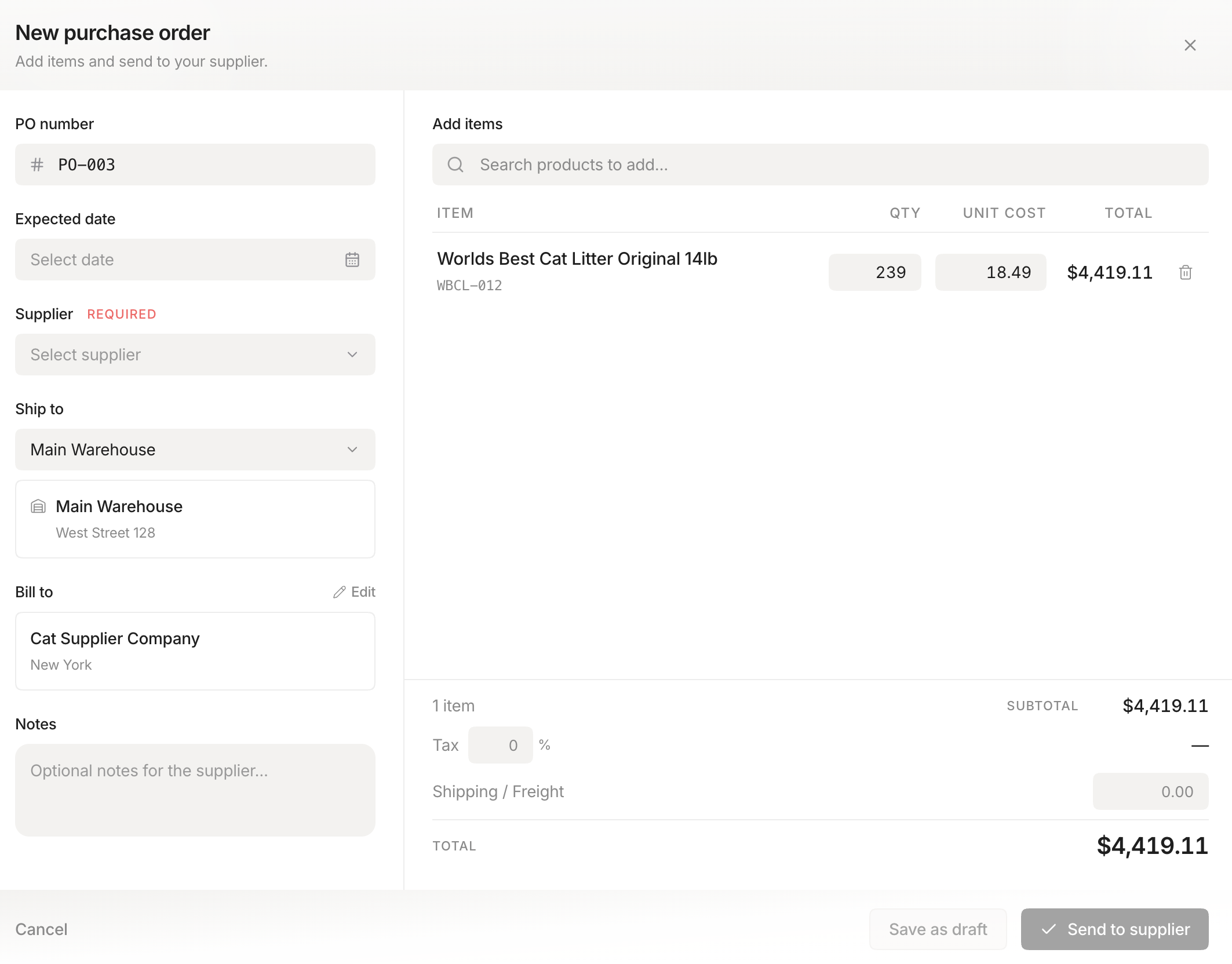 Stockria in action - Create and send purchase orders to your suppliers in seconds.
Step 1: Count everything. Do a full physical count of every item you have. Yes, this takes time. Yes, it is tedious. But it gives you a starting point. You cannot manage what you have not measured.
Step 2: Create a system of record. Pick one place to track your inventory. A spreadsheet works if you have fewer than 100 items. Beyond that, inventory software pays for itself in time saved. The key is one source of truth that everyone uses.
Step 3: Set up basic processes. Every time you receive stock, update your system. Every time you sell or use stock, update your system. Every time you move stock between locations, update your system. Consistency is more important than complexity.
Step 4: Do regular counts. Physical counts catch errors. Count your top-selling items weekly, everything else monthly. Compare the count to what your system says. Investigate discrepancies.
Step 5: Set reorder points. For each item, determine the minimum quantity that triggers a new order. Start conservative - you can tighten up as you learn your sales patterns and supplier reliability.
Common mistakes to avoid
Trying to do too much at once. Start with the basics and add complexity as needed. A simple system you actually use beats a sophisticated system you abandon.
Ignoring shrinkage. Theft, damage, and miscounts reduce your inventory. If you never account for shrinkage, your numbers drift further from reality over time.
Not training your team. Inventory management only works when everyone follows the same process. Spend time training employees on how to receive, count, and record inventory correctly.
The long view
Inventory management is not a project with an end date. It is an ongoing practice that gets easier and more valuable over time. Start with the basics, build consistency, and add sophistication as your business grows. The businesses that manage inventory well have better cash flow, happier customers, and clearer financial visibility than those that do not.