

Starting from zero
If you are a small business owner who has been tracking inventory in your head or on sticky notes, you are not alone. Most businesses start this way. The problem is that this approach breaks down quickly as you add products, channels, or team members.
The path from no system to a working inventory process does not have to be complicated. This guide walks you through it step by step, starting with what you have right now.
Step 1: List everything you sell

Before you can track inventory, you need a complete list of your products. Go through your storage area, your online store, and your sales records. For each product, write down:
- Product name (be specific: "Blue Widget 12oz" not just "Widget")
- A unique identifier or SKU
- Current quantity on hand (do a physical count)
- Where it is stored
- What you paid per unit
- What you sell it for
This initial count is your baseline. Everything you track going forward builds on these numbers.
Step 2: Choose your tracking method
Your choice depends on how many products you sell and how many transactions you process.
Spreadsheet method (under 100 SKUs): Create a simple spreadsheet with columns for each data point listed above. Add columns for reorder point and supplier name. Update it manually after every sale and every shipment received.
A basic spreadsheet formula can highlight items that need reordering: if the current quantity drops below the reorder point, flag the row in red. This gives you a visual alert without any special software.
Software method (100+ SKUs or multiple channels): When you sell on more than one platform, ship more than 20 orders a day, or have multiple people touching inventory, spreadsheets become a liability. Inventory software syncs your quantities across channels, updates automatically with each sale, and reduces the manual work that causes errors.
Step 3: Record every movement
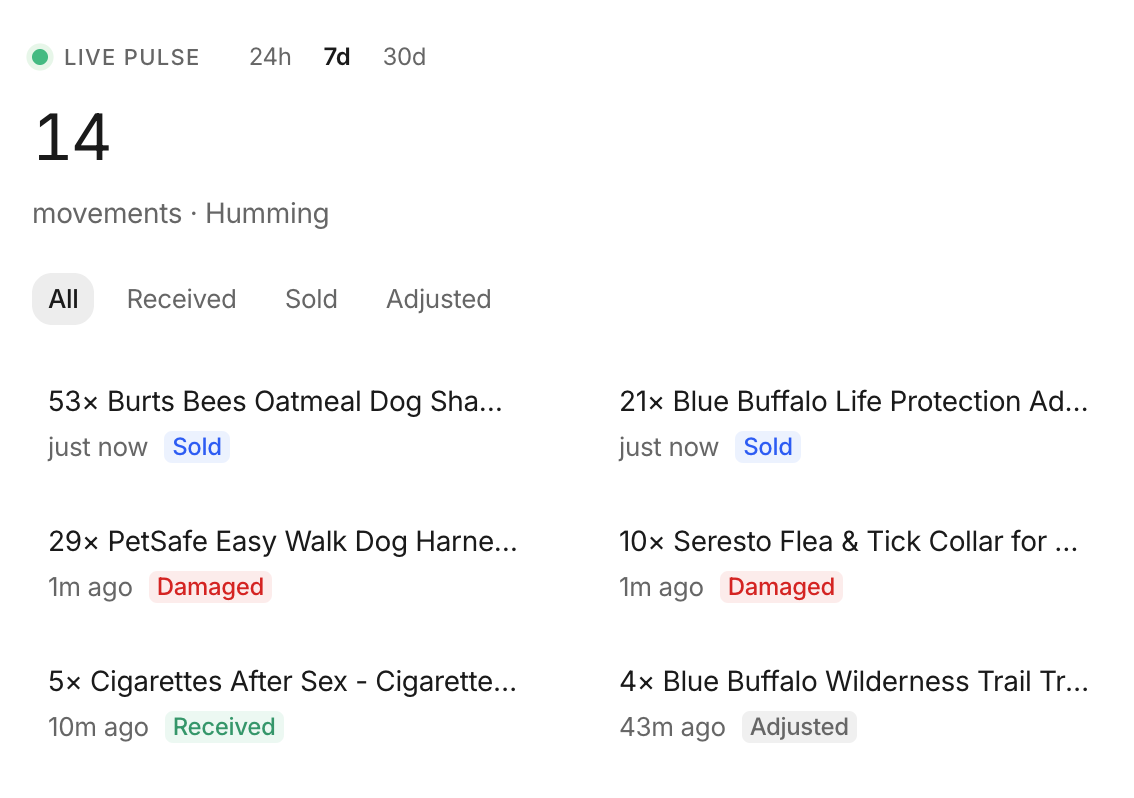 Stockria in action - Low-stock alerts tell you what to reorder and when.
**
Stockria in action - Low-stock alerts tell you what to reorder and when.
**
Once your system is set up, the rule is simple: every time inventory moves, record it. This includes:
- Sales: Subtract from your count when an order ships.
- Purchases received: Add to your count when a shipment arrives, but only after you verify the quantities match the purchase order.
- Returns: Add returned items back to stock, or mark them as damaged.
- Adjustments: Record breakage, theft, samples, and any other reason inventory changes without a sale or purchase.
Skipping even one entry creates a gap between your records and reality. These gaps compound over time and lead to inaccurate counts.
Step 4: Set up reorder alerts
For each product, calculate a reorder point based on two numbers:
- How many units you sell per day on average
- How many days it takes your supplier to deliver
Multiply those together and add a small buffer for safety stock. When your inventory hits that number, place your order.
If you are using a spreadsheet, check your levels daily. Software can send you automatic alerts when stock reaches the reorder point.
Step 5: Count regularly to stay accurate
No tracking system is perfectly accurate forever. Physical counts catch the errors that slip through. Set a counting schedule based on your business:
- Weekly: Count your top 20 percent of products by sales volume.
- Monthly: Count a different category or section each month.
- Quarterly: Do a full count of every item.
When your count does not match your records, investigate why before adjusting the number. Understanding the cause prevents the same error from happening again.
Growing beyond spreadsheets
You will know it is time to switch to dedicated software when you spend more time managing your spreadsheet than managing your business, when errors become frequent, or when you add a second sales channel. The transition is easier than most business owners expect, especially if your spreadsheet data is already clean and organized.