

Why most inventory spreadsheets fail
People find inventory spreadsheet templates online with 20 columns, pivot tables, VLOOKUP formulas, and conditional formatting. They download them, feel overwhelmed, and go back to tracking inventory in their heads.
A spreadsheet that is too complicated to maintain is worse than no spreadsheet at all. You stop updating it, the data goes stale, and you make decisions based on numbers that are weeks old.
The 5-column spreadsheet

Here is all you need to start:
Column 1: Item Name. What it is. Be specific enough to avoid confusion. "Blue Widget 4-inch" not "Widget."
Column 2: SKU or Code. A short identifier. Can be as simple as BW4. This is what you use for quick lookups. If you do not have SKUs yet, create simple ones: first letter of category plus a number.
Column 3: Current Quantity. How many you have right now. Update this whenever stock changes. This is the column that matters most.
Column 4: Reorder Level. The quantity at which you need to order more. Set this based on how long it takes your supplier to deliver. If it takes a week and you sell 10 per week, set the reorder level at 15 to give yourself a buffer.
Column 5: Supplier. Who you buy it from. When quantity drops below the reorder level, you immediately know who to call.
That is it. Five columns. No formulas. Open it every morning, update the quantities, and scan for anything below its reorder level.
How to maintain it
Update daily. Spend 5 minutes every morning updating quantities based on yesterday's sales and any new stock received. If you skip days, the numbers become useless.
Keep one person responsible. When everyone updates the spreadsheet, nobody updates the spreadsheet. Assign one person to own it.
Use a cloud spreadsheet. Google Sheets or Excel Online lets you access it from anywhere and prevents the "which version is current" problem that kills local spreadsheets.
Do a physical count monthly. Compare your spreadsheet numbers to what is actually on shelves once a month. Fix discrepancies immediately. Over time, the gap between your spreadsheet and reality tells you where your process breaks down.
When to add more columns
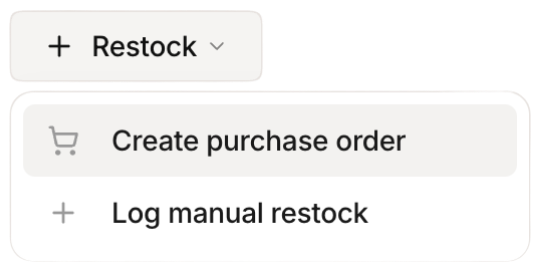 Stockria in action - Restock items with one tap when stock runs low.
You might want to add a few more columns as you get comfortable. Cost per unit helps you understand your inventory value. Location is useful if you store items in different areas. Last ordered date helps you spot items you might be forgetting to reorder.
But add columns one at a time, only when you feel a specific need. Every column you add is a column you need to maintain.
When to move beyond spreadsheets
A spreadsheet works well for up to about 50 to 100 items with one person managing inventory in one location. Beyond that, you start hitting limits.
Spreadsheets do not alert you when stock is low. They do not sync with your sales channels. They cannot generate purchase orders. And they are fragile - one accidental edit can corrupt your data.
Start here, grow from here
Do not let perfect be the enemy of good. If you are currently tracking inventory in your head or not at all, this 5-column spreadsheet is a massive improvement. Use it until you outgrow it, then move to dedicated software with confidence because you will already understand what you need.