StockriaStockria

Low-stock alerts and reorder points for inventory

Stockria alerts you when stock drops below your reorder point and generates draft purchase orders automatically. Included on every plan.

See pricing

Thresholds

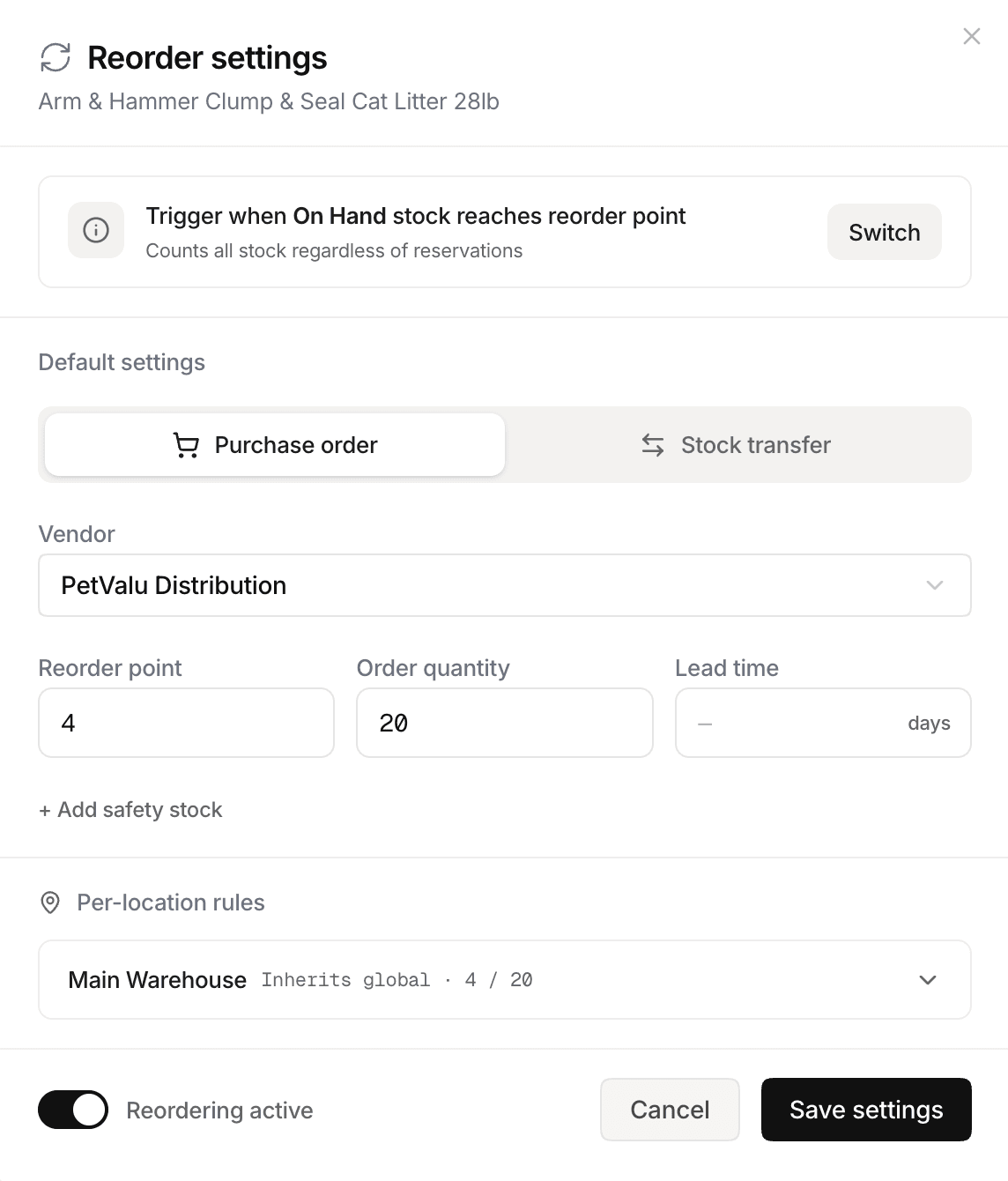
Set reorder points per item and location

Define minimum stock levels. Different thresholds for different locations.

Alerts

Email alerts when stock drops below threshold

Get notified automatically. No manual checking required.

Auto POs

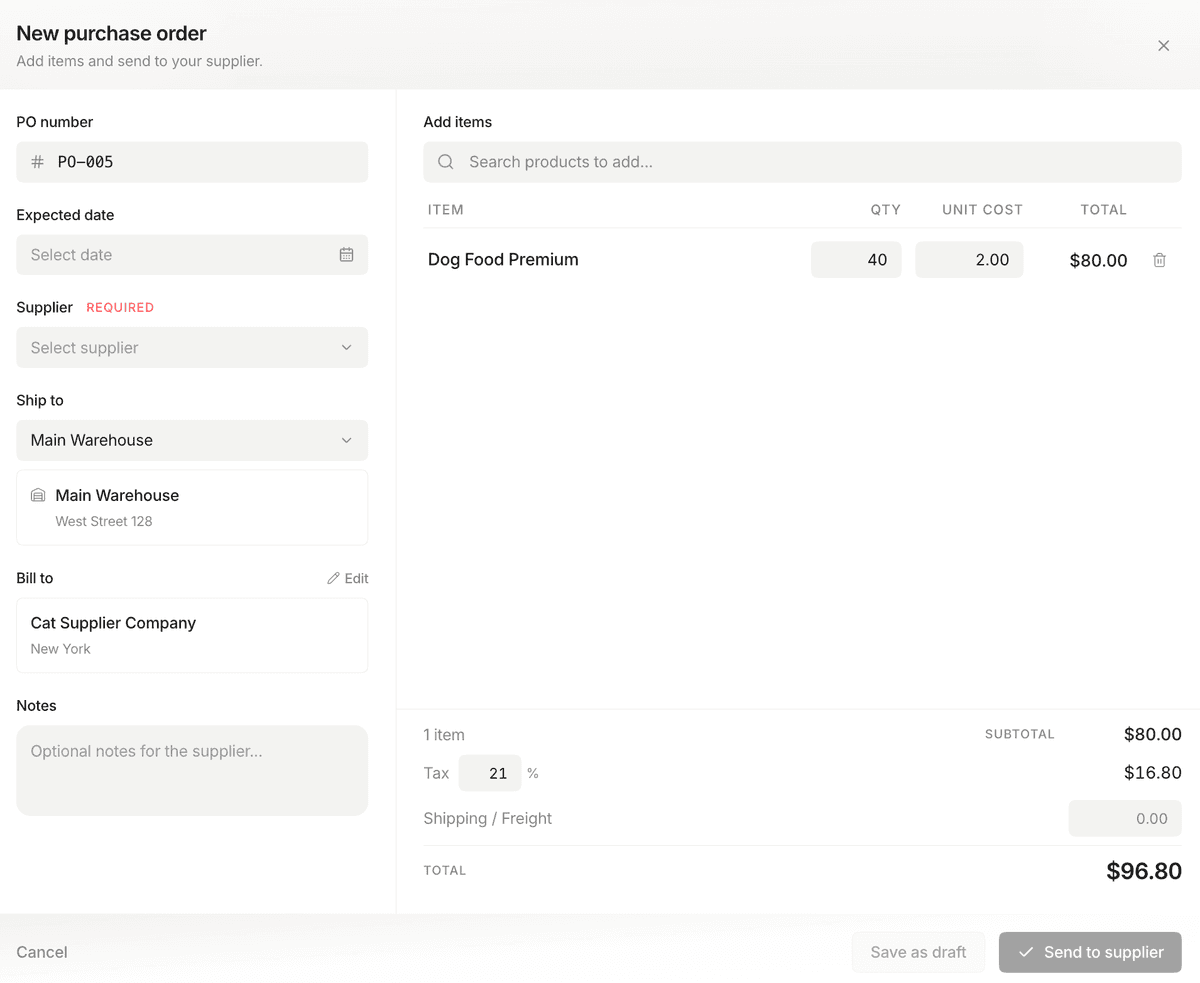
Auto-generated draft purchase orders

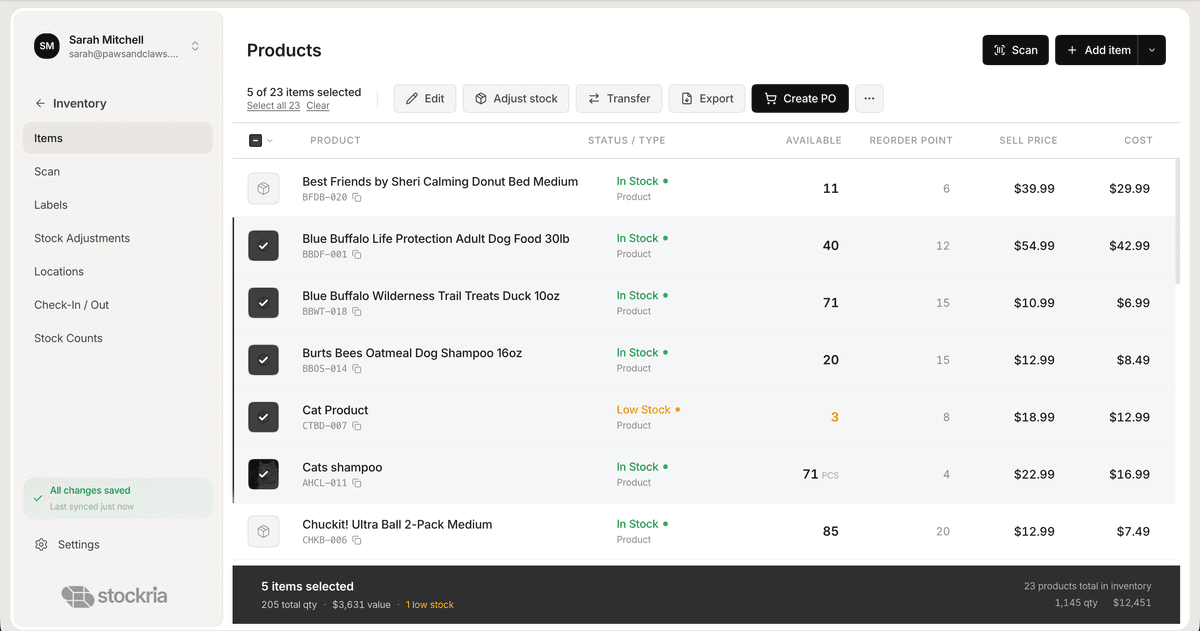
One click turns your low-stock list into a draft PO ready to send.

Forecast

Days-until-stockout projections

See how many days of stock you have left based on your actual sales rate.

Never run out of your best sellers

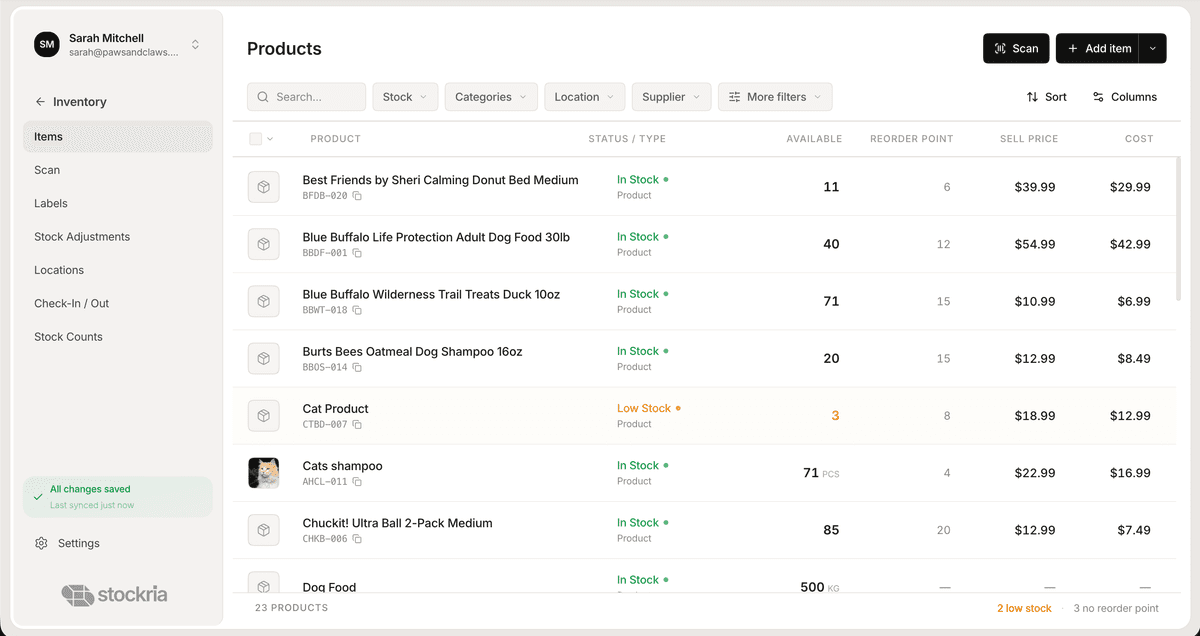
Set a reorder point for each item. When stock drops below it, you get notified. Stockria also shows days until stockout based on your actual sales rate.

  • Set different thresholds per item and per location. A slow-moving product doesn't need the same buffer as your top seller.
  • Email alerts go out automatically — no manual checking, no daily spreadsheet reviews.
Stockria low-stock alerts dashboard

From alert to purchase order in two clicks

When items hit their reorder point, Stockria generates a draft PO. Review the quantities, pick your supplier, and send — all without leaving the app.

  • Suggested quantities are based on your sales rate and lead time, not guesswork.
  • Send the PO as PDF or email it directly to your supplier from Stockria.
Stockria restock and purchase order

Know exactly when you'll run out

Days-until-stockout projections take the panic out of reordering. You see exactly how long your current stock will last at your current sales rate.

  • Plan reorders around your supplier's lead time, not around gut feeling.
  • If sales spike or slow down, the projections adjust automatically.
Stockria reorder point tracking

How it works

Here's how it keeps you from running out

01

Stock drops below your threshold

You set a reorder point of 25 units. A sale brings the count to 24. Stockria catches it instantly.

02

You get notified

An alert lands in your inbox with the item name, current count, and days until stockout. No checking required.

03

You reorder with confidence

One click generates a draft PO with the right quantity. Review it, send it, and move on with your day.

Stockria reorder alerts full dashboard view

Stop guessing. Start knowing.

You'll see exactly what's running low, how many days you have left, and what to reorder — before your customers notice the empty shelf.

Stockria reorder alerts detail view

Common questions

All the essential information you need to understand.

Straight answers. If yours isn't here, email us at hello@stockria.com.

Yes. Your store might need 25 units on the shelf while your warehouse only needs 10. Set each one separately.

It looks at how fast you're selling and how much you have left. If you sell 5 a day and you have 20 left, it tells you you've got 4 days. If sales speed up, the number adjusts.

You get an email with the item name, how many are left, and how many days until you're out. Stockria also drafts a purchase order for you — review it and send in two clicks.

Everything still works. You just won't get alerts or automatic PO drafts for those items. You can add reorder points later, one item at a time or in bulk.

Yes. Each product can have its own supplier. When Stockria drafts a PO, it groups items by supplier automatically.

Stop running out of stock

Set reorder points, get alerts, and generate purchase orders before you hit zero. Free for up to 250 items. Pro starts at $19/mo.

Per-item and per-location thresholds
Email alerts when stock is low
Days-until-stockout projections
Auto-generated draft purchase orders
Works with your actual sales rate
Explore

More features

Replace your spreadsheet in 15 minutes

Import your products, set low-stock alerts, and start scanning barcodes. Free for 250 items. Paid plans start at $19/mo.

We'll personally help you get set up.

Stockria