

Spreadsheets are a perfectly fine starting point
Every inventory system starts as a spreadsheet. It makes sense: you already have Excel or Google Sheets, the learning curve is zero, and for 20-50 items it works fine. There is no shame in using a spreadsheet. Most successful inventory-heavy businesses started with one.
The question is not whether spreadsheets are bad. The question is when they stop being good enough.
Signs you have outgrown your spreadsheet

Multiple people editing the same sheet. Google Sheets handles concurrent editing, but it does not handle concurrent inventory updates well. Two people adjusting the same item at the same time creates conflicts. One person's change overwrites the other's.
You have missed a reorder because no one checked the sheet. Spreadsheets do not send alerts. If no one looks at the numbers, no one notices when stock is low. By the time someone checks, you are already out.
Receiving a shipment takes more than 15 minutes of data entry. Opening the spreadsheet, finding each item, updating the quantity, recording the date. For a 30-item delivery, this takes 20-30 minutes. With barcode scanning, it takes 5.
You have caught errors that cost you money. A typo turned 74 into 47. A row got accidentally deleted. Someone updated the wrong cell. Each error erodes trust in your data.
You track inventory across multiple locations. Managing multiple tabs or sheets for different locations introduces complexity that spreadsheets handle poorly. Transfer tracking becomes a manual process prone to mistakes.
What inventory software actually gives you
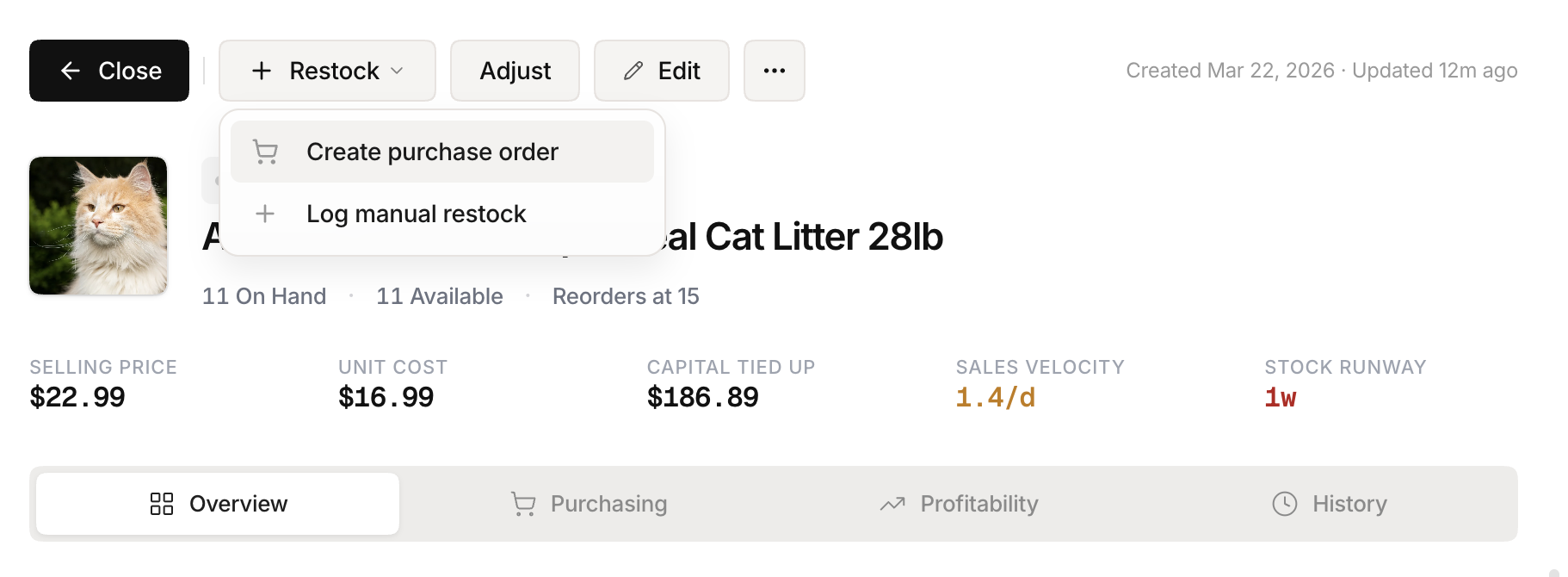 Stockria in action - Reorder point tracking keeps your supply chain on schedule.
Real-time accuracy. Every scan, adjustment, and transfer updates the count immediately. No stale data.
Alerts. Low-stock notifications trigger automatically when inventory hits your reorder point. No one needs to remember to check.
Barcode scanning. Point your phone at a barcode instead of typing SKUs. Faster and error-free.
Audit trail. Every change is logged with who made it, when, and why. Spreadsheets track who edited a cell but not what the value was before.
Multi-user access without conflicts. Multiple people can update inventory simultaneously without overwriting each other.
The cost comparison
A spreadsheet costs $0 (or $6/month for Google Workspace). Inventory software typically costs $20-50/month for small businesses.
But the hidden cost of spreadsheets is errors and time. If your team spends 5 hours per week on inventory data entry and makes one costly mistake per month, that $20/month software pays for itself many times over.
When to switch
The tipping point is usually 100-200 items with 2+ people managing inventory. Below that, a spreadsheet works. Above that, the time spent maintaining the spreadsheet exceeds the time spent learning new software.
The switch does not need to be dramatic. Most inventory tools (including Stockria) let you import your existing spreadsheet as a CSV. Your data moves with you. The transition takes an afternoon, not a week.