

Why free plans exist
Software companies offer free plans for two reasons. First, they want you to start using the product so you eventually upgrade as your needs grow. Second, a large free user base provides feedback, word-of-mouth marketing, and social proof.
This means free plans are genuinely useful, but they are designed with limits. Understanding those limits before you commit saves you from hitting a wall three months in and having to migrate your data to another tool.
What free plans typically include

Most free inventory management tools offer a core set of features at no cost:
Basic product catalog. Add products with names, descriptions, SKUs, and prices. Some limit the number of products (50-100 SKUs is common on free tiers), while others allow unlimited products.
Stock tracking. Track quantities on hand and see when stock is low. The fundamental feature that replaces your spreadsheet.
Single location. Almost all free plans limit you to one warehouse or store location. Multi-location tracking is a common upgrade trigger.
Basic reporting. Stock level reports, maybe a simple sales summary. Advanced reports like profitability analysis, demand forecasting, and custom reports are usually paid features.
One to two user accounts. You can log in, maybe one team member can too. Adding more users requires a paid plan.
What gets locked behind paywalls
These features are almost always reserved for paid tiers:
Multi-location tracking. If you have a store and a warehouse, or two warehouses, expect to pay.
Integrations. Connecting to Shopify, Amazon, QuickBooks, or other tools usually requires a paid plan. This is often the single biggest reason businesses upgrade.
Barcode scanning. Some free plans include basic scanning, but many restrict it to paid tiers or limit the number of scans per month.
Purchase orders and supplier management. Creating POs, tracking supplier lead times, and managing receiving workflows are often paid features.
Low-stock alerts and reorder points. Automatic notifications when stock drops below a threshold. Surprisingly, some free plans include this while others do not.
Audit trails and user permissions. Seeing who changed what and restricting access by role. Important for accountability but usually a paid feature.
What to look for in a free plan
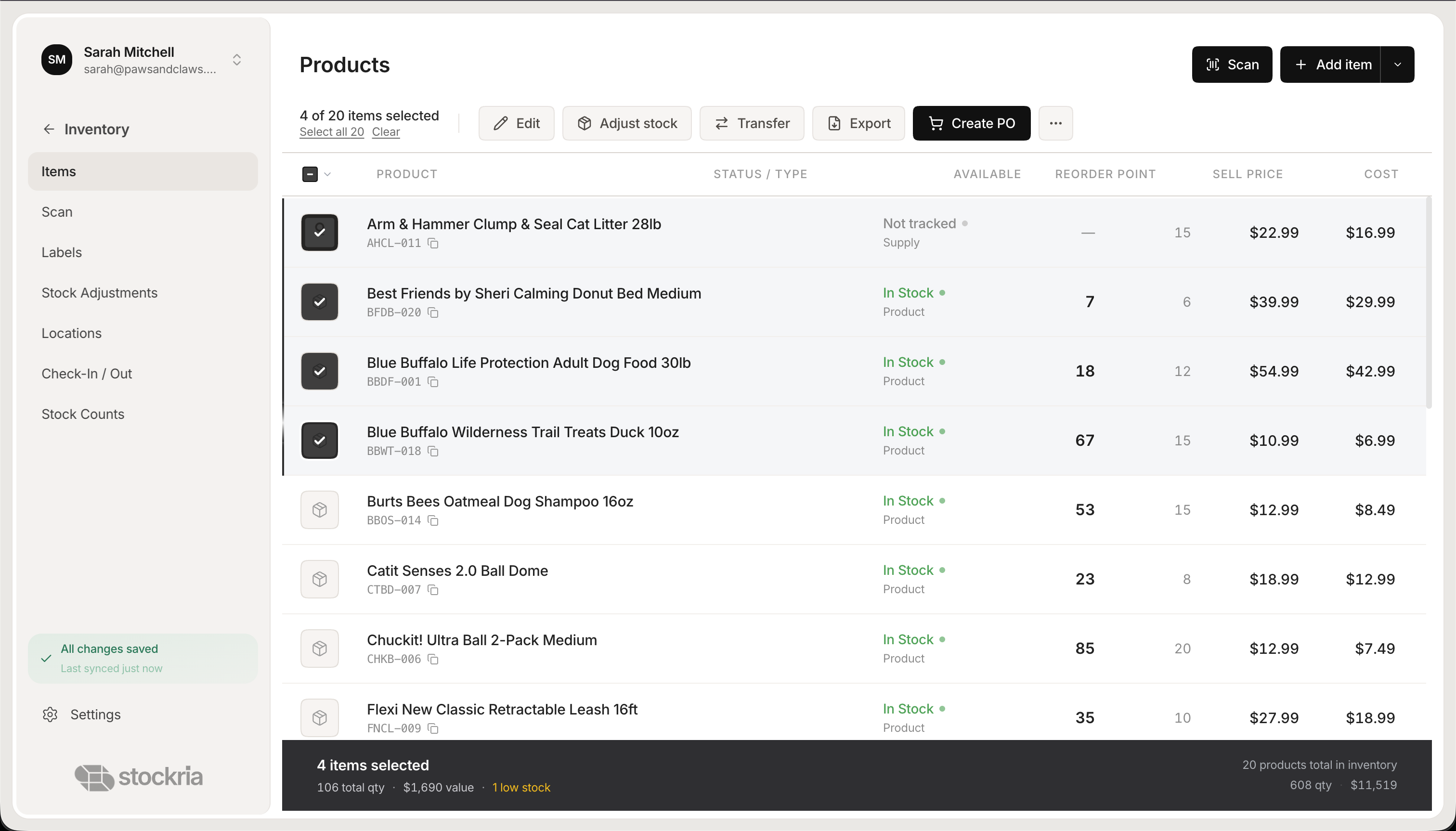 Stockria in action - Manage your product catalog with stock levels and reorder points.
**
Stockria in action - Manage your product catalog with stock levels and reorder points.
**
No time limit. A free plan should be free forever, not a 14-day trial labeled as "free." Trials are fine for evaluating paid features, but your basic plan should not expire.
Data export. You should be able to download your data as CSV at any time. If you cannot export, you are locked in.
Reasonable product limits. 50 SKUs is tight. 100 is workable for very small businesses. Unlimited products on a free tier is ideal.
Mobile access. If the free plan only works on desktop, it is less useful for warehouse or store work where you need to check stock on your feet.
Clear upgrade pricing. You should know exactly what the paid plan costs before you invest time setting up the free version. Surprise pricing after onboarding is a red flag.
Stockria's approach
Stockria offers a free plan that includes unlimited products, one location, and core inventory features - stock tracking, basic reporting, and data export. When you are ready for multi-location support, integrations, or team collaboration, paid plans start at a reasonable monthly price with no contracts.
The goal is simple: give you a tool that genuinely works at no cost, and earn your business when your needs grow.
The bottom line
A free inventory tool is almost always better than a spreadsheet, even with its limitations. Start with a free plan, learn the workflows, and upgrade only when you hit a specific limit that matters to your business. Do not pay for features you do not need yet.