

Do you actually need barcode scanning?
If you manage fewer than 50 items and rarely make mistakes looking them up, you probably do not. But once you cross 100 items, or once you have multiple people touching inventory, manual lookup becomes the bottleneck.
Barcode scanning solves two problems: speed and accuracy. Looking up an item by name or SKU takes 15-30 seconds. Scanning a barcode takes 2 seconds. Over a 500-item inventory count, that difference adds up to hours.
Scanning is one piece of a larger setup. If you are starting from scratch, read our guide to building a complete barcode system for a small business, then come back here for the scanning detail.
Types of barcodes you will encounter

UPC/EAN. The standard barcodes on retail products. If you sell products from manufacturers, these are already on the packaging. You do not need to create them.
Code 128. A versatile format used for internal tracking. Good for items that do not have manufacturer barcodes. Stockria generates Code 128 labels you can print.
QR codes. Two-dimensional codes that hold more data. Useful for linking to product pages or encoding batch and lot information. Stockria supports QR code scanning on all plans.
What hardware do you need?
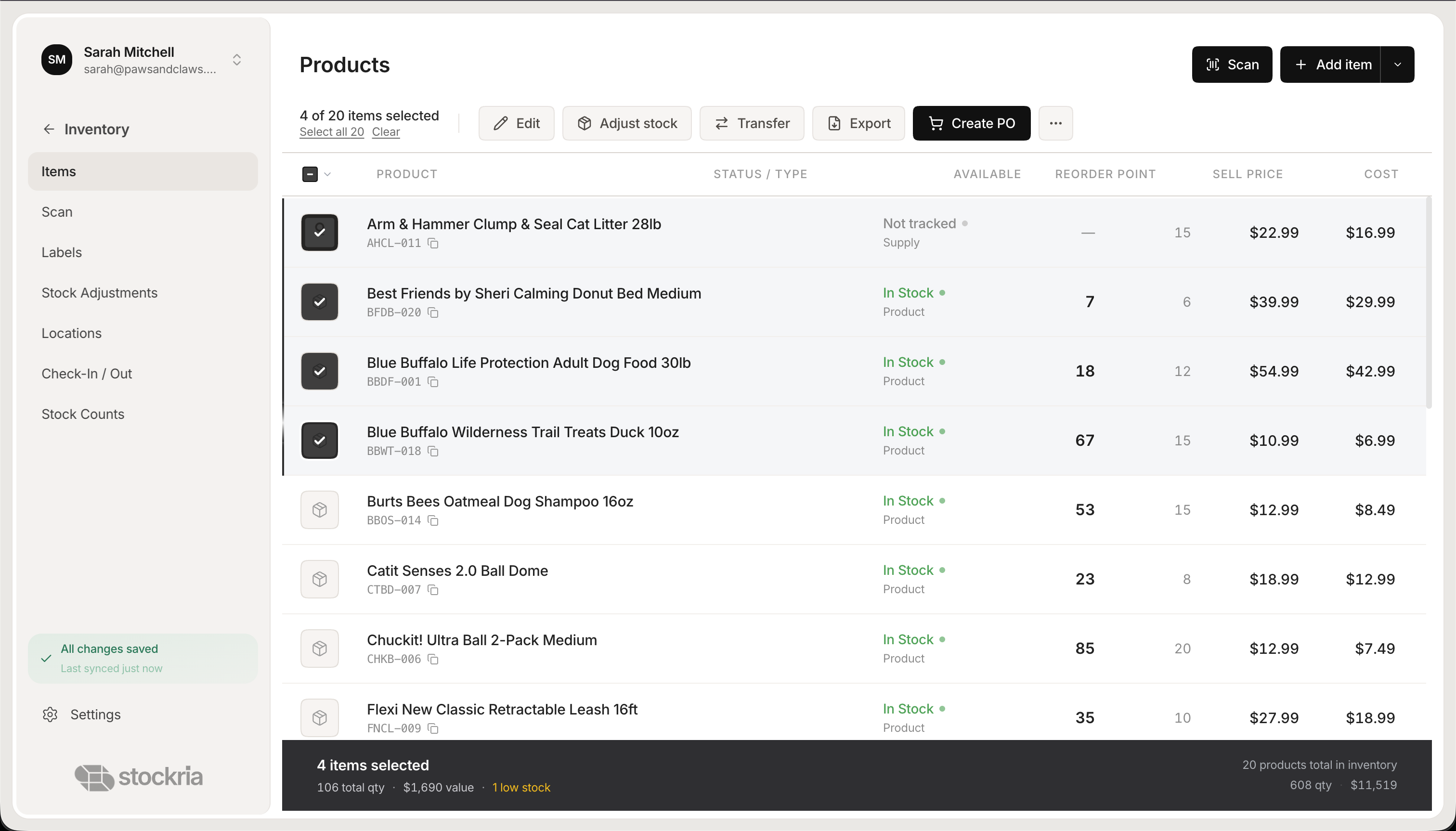 Stockria in action - Manage your entire product catalog with stock levels, pricing, and reorder points.
For most small businesses, the answer is your phone. Modern phone cameras scan barcodes quickly and reliably. Stockria uses your phone camera directly with no additional app or hardware required.
If you scan more than 200 items per session, consider a Bluetooth scanner in the $40-100 range. Models like the Socket Mobile S700 pair with your phone and scan faster than the camera, especially in dim lighting or with damaged labels.
You do not need a dedicated handheld terminal. Those $500+ devices made sense when phones could not scan barcodes. They no longer do for most small businesses.
Scan with the phone in your pocket
Point your phone camera at a UPC, EAN, Code 128, or QR code and Stockria updates the count instantly. No scanner gun, no extra app. Free for 250 items. Pro starts at $19/mo.
Creating barcodes for items that lack them
Handmade products, bulk materials, and internal supplies usually do not come with barcodes. Here is how to add them:
- In Stockria, open the item and generate a barcode label
- Choose the format (Code 128 for most uses, QR for items needing extra data)
- Print labels on a thermal label printer (Dymo LabelWriter at $50-80 works well)
- Apply labels to items, shelves, or bins
A roll of 500 labels costs about $10. The label printer pays for itself within a week of faster inventory operations.
Getting started
Start with receiving. The next time a shipment arrives, scan each item instead of typing it in. You will immediately feel the difference in speed. Once receiving feels natural, move to inventory counts. Then stock adjustments.
The transition does not need to happen all at once. Use scanning wherever it saves you time. Skip it where it does not. The flexibility matters more than the methodology.