StockriaStockria

Purchase orders in Stockria: create, send, and receive

Create purchase orders, email them to suppliers, and receive shipments with barcode scanning. Included on every Stockria plan.

See pricing

Generate

Generate POs from low-stock items

Stockria suggests quantities based on your reorder points and sales rate.

Send

Email or export as PDF to suppliers

Send directly from Stockria or download a PDF to attach to your own email.

Track

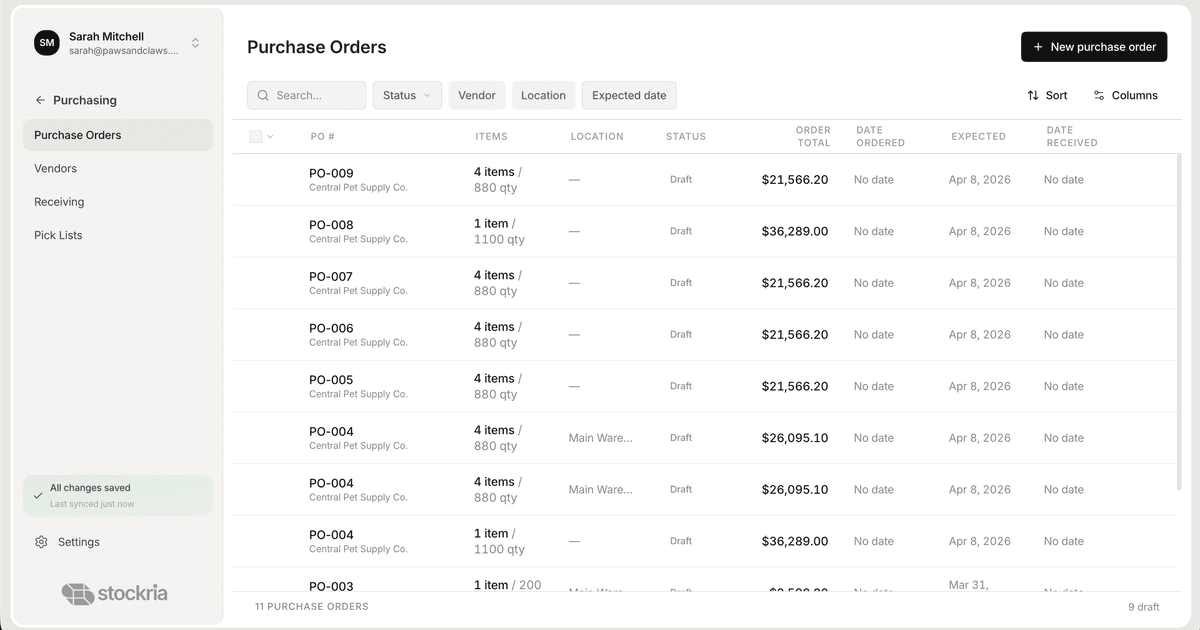
Track order status and delivery

See what's ordered, what's in transit, and what's been received.

Receive

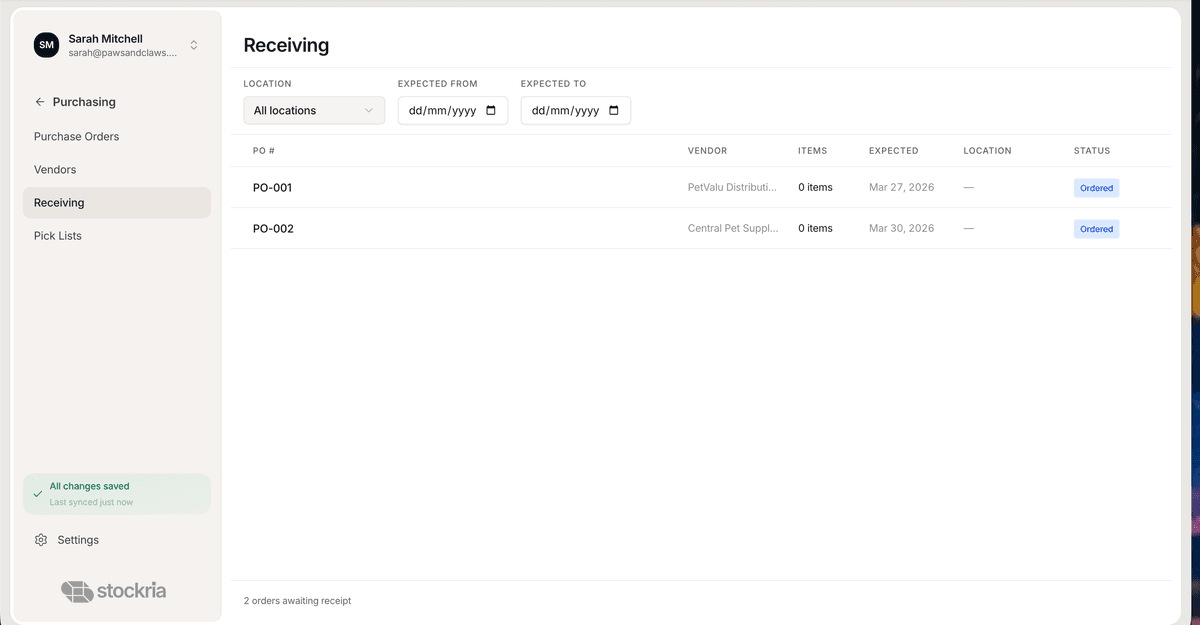
Barcode scan to receive against PO

Scan items as they arrive. Stockria matches each scan to the PO line.

Stockria builds your purchase orders from your low-stock list

You checked what's running low, opened a spreadsheet, typed it out, sent it over email. Next week, same thing. Same products, same suppliers, same manual work.

  • Stockria pulls from your low-stock items, suggests how much to order based on how fast you're selling, and lets you send the PO as a PDF — all without leaving the app.

Purchase Order

Draft

Metro Wholesale

Items

8

Total

$1,560

Send to your supplier in seconds

Export as PDF or email directly from Stockria. The PO status updates to 'Sent' so you always know what's in transit and what's still pending.

  • Your supplier gets a clean, professional PO with item names, quantities, and pricing.
  • Track every PO from draft to sent to received — nothing falls through the cracks.

Purchase Order

Sent

Apex Supply Co.

Items

12

Total

$2,340

Receive with barcode scanning

When the shipment arrives, scan items to match against PO lines. Partial deliveries are tracked automatically — you always know what's still outstanding.

  • Scan each item as it comes off the truck. Stockria matches it to the PO line and updates your count.
  • If only half the order arrives, the PO stays open until everything is received.
Stockria barcode receiving against purchase order

How it works

Here's how it keeps you from running out

01

Five items hit their reorder point

Monday morning. Stockria flags five products running low. It already knows what you need and how much.

02

You send a PO before lunch

One click builds the purchase order. You review it, adjust a quantity, and email it to your supplier — all from your phone.

03

The shipment arrives, you scan it in

Each scan matches an item to the PO line. Counts update. The PO closes. Your shelves are stocked.

Stockria purchase orders full view

From order to shelf. No paperwork.

Your suppliers get a clean PO. Your team scans what arrives. Your stock updates. The whole loop closes itself.

Stockria purchase order receiving

Auto-generated POs

Stockria drafts purchase orders from your reorder points. You review the quantities and send — no spreadsheet required.

Send as PDF or email

Your supplier gets a clean PO with item names, quantities, and pricing. Send it directly or download the file.

Track from sent to received

Every PO has a status. Know what's pending, what's in transit, and what's been delivered — at a glance.

Scan items to receive

When the shipment arrives, scan each barcode. Stockria matches it to the PO line and updates your stock.

Common questions

All the essential information you need to understand.

Straight answers. If yours isn't here, email us at hello@stockria.com.

Yes. Email the PO directly from Stockria or export it as a PDF to attach to your own email.

Stockria tracks what arrived and what's still outstanding. The PO stays open until everything is received.

Yes. Create from scratch or let Stockria generate one from your low-stock list. Either way, you review before sending.

Yes. When you scan items against a PO, your inventory counts update immediately.

Purchase orders on every plan

Create, send, and track POs without leaving Stockria. Free for up to 250 items. Pro starts at $19/mo.

Generate POs from low-stock items
Email or export as PDF
Track from draft to received
Barcode scan to receive shipments
Partial delivery tracking
Explore

More features

Replace your spreadsheet in 15 minutes

Import your products, set low-stock alerts, and start scanning barcodes. Free for 250 items. Paid plans start at $19/mo.

We'll personally help you get set up.

Stockria