

What is a reorder point?
A reorder point is the inventory level at which you should place a new order with your supplier. When your stock drops to this number, it is time to reorder. If you wait longer, you risk running out before the new shipment arrives.
The concept is straightforward, but most businesses either guess at their reorder points or skip them entirely. Both approaches cost money: stockouts lose sales, and overordering ties up cash. A reorder point is the single number that keeps you between those two failures.
The reorder point formula

Reorder Point = (Average Daily Usage x Lead Time in Days) + Safety Stock
Each component matters:
Average daily usage is how many units you sell or consume per day. Look at the last 30-90 days of sales data for the most accurate number. If you sell 10 units per day on average, that is your daily usage.
Lead time is how many days it takes from placing an order to receiving it. If your supplier ships in 5 business days and transit takes 2 days, your lead time is 7 days.
Safety stock is your buffer against variability. Demand spikes and shipping delays happen. Safety stock prevents a stockout when they do.
Worked example
You sell 8 units per day of a product. Your supplier delivers in 10 days. You want 3 days of safety stock.
- Average daily usage: 8 units
- Lead time: 10 days
- Safety stock: 8 units x 3 days = 24 units
- Reorder point: (8 x 10) + 24 = 104 units
When your stock hits 104 units, place the order. The 80 units cover the 10-day lead time, and the 24 units protect against unexpected demand or delays.
Reorder point, par level, and safety stock: what is the difference?
These three terms get mixed up constantly, so it is worth being precise:
- Safety stock is the buffer you never plan to touch. It only gets used when demand or lead time runs worse than average.
- Reorder point is the trigger. Hit it and you order. It equals your expected usage during the lead time plus safety stock.
- Par level is the target you top back up to. It is common in restaurants and bars, where you order enough to bring stock back to par each cycle.
For most product businesses, the reorder point is the number you actually act on. Par levels are a related idea used when you reorder on a fixed schedule rather than at a fixed stock level.
Two ways to calculate safety stock
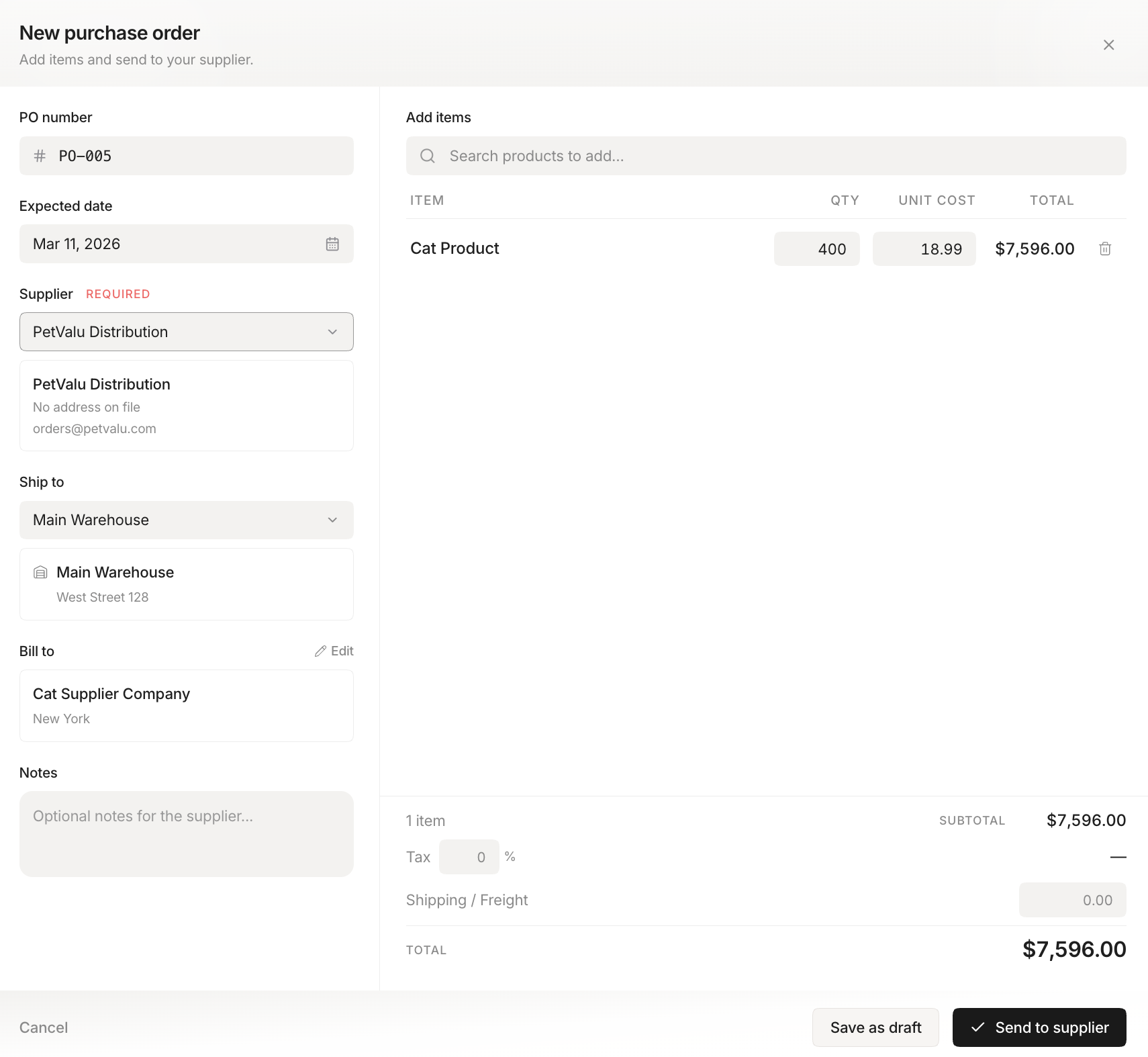 Stockria in action: generate purchase orders from your low-stock list.
The simple method. Multiply your average daily usage by the number of days of buffer you want. For stable demand, 3-5 days works. For seasonal or unpredictable items, use 7-14 days. In the example above, 8 units x 3 days gave 24 units of safety stock. This is good enough for the majority of small businesses.
The service-level method. If you want to hit a specific reliability target, use the demand variability:
Safety Stock = Z x Standard Deviation of Daily Demand x Square Root of Lead Time
Z is the service-level factor. It sets how often you are willing to stock out:
| Target service level | Z value |
|---|---|
| 90% | 1.28 |
| 95% | 1.65 |
| 99% | 2.33 |
Say your daily demand has a standard deviation of 4 units, your lead time is 10 days, and you want a 95% service level. Safety stock is 1.65 x 4 x √10, which is about 1.65 x 4 x 3.16 = 21 units. Notice it lands close to the simple method's 24 units. That is normal. The service-level method mainly helps for high-value items where you want to tune the stockout risk deliberately.
For a deeper walkthrough, including the average-max method and the formula for when both demand and lead time vary (the case that matters most in 2026), see how much safety stock should you hold.
Reorder points across multiple locations
A single reorder point across two locations will fail you. If your shop holds stock and your warehouse holds stock, a combined number can look healthy while the shop is empty.
Set a reorder point per location. Store A should trigger an alert when Store A drops low, even if the warehouse is full. If you can transfer stock between locations, your effective lead time for a store is the transfer time, not the supplier's full lead time, so its reorder point can be lower.
Adjusting for seasonality and demand changes
Reorder points are not set-and-forget. Your average daily usage is a snapshot, and it drifts:
- Seasonal items need higher reorder points heading into a busy period and lower ones after. Recalculate before each season, not during it.
- Growth quietly raises daily usage. A reorder point set when you sold 5 a day is wrong once you sell 12 a day.
- Lead time changes hit hardest. If a supplier's lead time doubles from 7 to 14 days, your reorder point has to rise to match, or you will run out every cycle.
Review reorder points at least quarterly, and immediately whenever a supplier's lead time changes.
Reorder points under tariff uncertainty (2026)
Tariff volatility has made supplier lead times far less predictable, and that lands directly on your reorder points. When a supplier who used to take 10 days can suddenly take 20, the reorder point you set last year now triggers too late on every cycle. Nearly three-quarters of small and mid-size businesses have already stretched their planning horizons in response.
Two adjustments matter most right now:
- Buffer for lead-time variability, not just the average. A wobbly lead time can multiply the safety stock you need for the same reliability. See how much safety stock to hold for the formula and a worked example.
- Extend your planning horizon on imported and tariff-exposed items, so a shipping delay or duty change does not catch you mid-cycle.
If your suppliers have become unpredictable, our guide to planning inventory when lead times are unpredictable walks through the full playbook.
How much to order once you hit the reorder point
The reorder point tells you when to order. It does not tell you how much. For order quantity, businesses use economic order quantity (EOQ), which balances the cost of ordering against the cost of holding stock. If you want to weigh the cost of running out against the cost of overstocking, our stockout cost calculator helps you put a number on it.
Setting reorder points in Stockria
In Stockria, you set a reorder point for each item. When stock drops to that level, you get an alert. You can also set reorder points per location, so Store A gets an alert even if the warehouse is fully stocked.
The alert tells you what to order and how much. From there, you can create a purchase order directly. No spreadsheet, no mental math, no forgotten reorders. If you would rather calculate first, try our free reorder point calculator.
Never do this math by hand again
Set a reorder point per item and per location, get alerted the moment stock drops, and turn the alert into a purchase order in two clicks. Free for 250 items. Pro starts at $19/mo.
Common mistakes
Using the same reorder point for every item. A fast-moving item needs a higher reorder point than a slow-moving one. Calculate each item individually.
Ignoring lead time changes. If your supplier's lead time increased from 7 to 14 days, your reorder points need to rise to match. Review quarterly.
Forgetting safety stock entirely. A reorder point with no buffer stocks you out on the very first bad week. Always include some safety stock, even a small amount.
Setting it and forgetting it. Demand changes with seasons, trends, and growth. Revisit reorder points every quarter at minimum.
Frequently asked questions
What is a good reorder point? There is no universal number. A good reorder point covers your expected sales during the supplier's lead time, plus a safety buffer sized to how unpredictable that item is. Calculate it per item.
Is the reorder point the same as the minimum stock level? Effectively yes. The reorder point is the minimum level at which you act. Below it, you are eating into safety stock.
How often should I recalculate? Quarterly at a minimum, and immediately whenever a supplier's lead time changes or you notice sales have shifted up or down.
Can I automate reorder points? Yes. Inventory software watches stock levels for you and alerts you the moment an item hits its reorder point, so you never have to check manually.
The math is simple. The discipline of actually using it is what separates businesses with reliable stock from those constantly scrambling.