

What Xero does for inventory
Xero is accounting software with built-in inventory features. You can create tracked inventory items, record quantities on hand, set cost prices and sell prices, and see basic stock reports.
When you create an invoice in Xero, it reduces the quantity of tracked items. When you record a bill from a supplier, it increases quantities. Your cost of goods sold updates automatically on your profit and loss statement.
For a small business with a handful of products, this integration between accounting and inventory is convenient. Everything lives in one place.
Where Xero works well

Businesses already using Xero. If Xero is your accounting platform, using its inventory features avoids adding another tool. No integration needed, no duplicate data entry, no extra subscription.
Simple product businesses. If you buy and resell fewer than 50 products, Xero handles the basics. You can see what is in stock, know what each item costs, and track sales by product.
Service businesses with light inventory. A consultant who sells some physical products alongside services, or a contractor who tracks a few key supplies. Inventory is a small part of the operation and does not need a dedicated system.
The limitations
No multi-location support. Xero tracks total quantity across your business but does not break it down by warehouse, store, or stockroom. If your inventory lives in more than one place, you are tracking locations outside of Xero.
No barcode scanning. Everything is entered manually. No scanning for receiving, stocktaking, or order picking. For high-volume businesses, this is a significant bottleneck.
No reorder alerts. Xero does not notify you when stock runs low. You need to manually check stock levels and remember to reorder. This leads to stockouts that could be prevented with basic automation.
Limited reporting. Xero shows you quantities and values but lacks inventory aging, demand forecasting, dead stock identification, and other analytical reports that help you make better purchasing decisions.
No batch or serial tracking. If you need to track lots, batches, or serial numbers for compliance, recalls, or warranty management, Xero does not support it.
No purchase order matching. While Xero supports purchase orders, matching received goods against POs and handling partial deliveries is manual and awkward.
No manufacturing support. Bills of materials, work-in-progress tracking, and production planning are outside Xero's scope entirely.
Xero add-ons and integrations
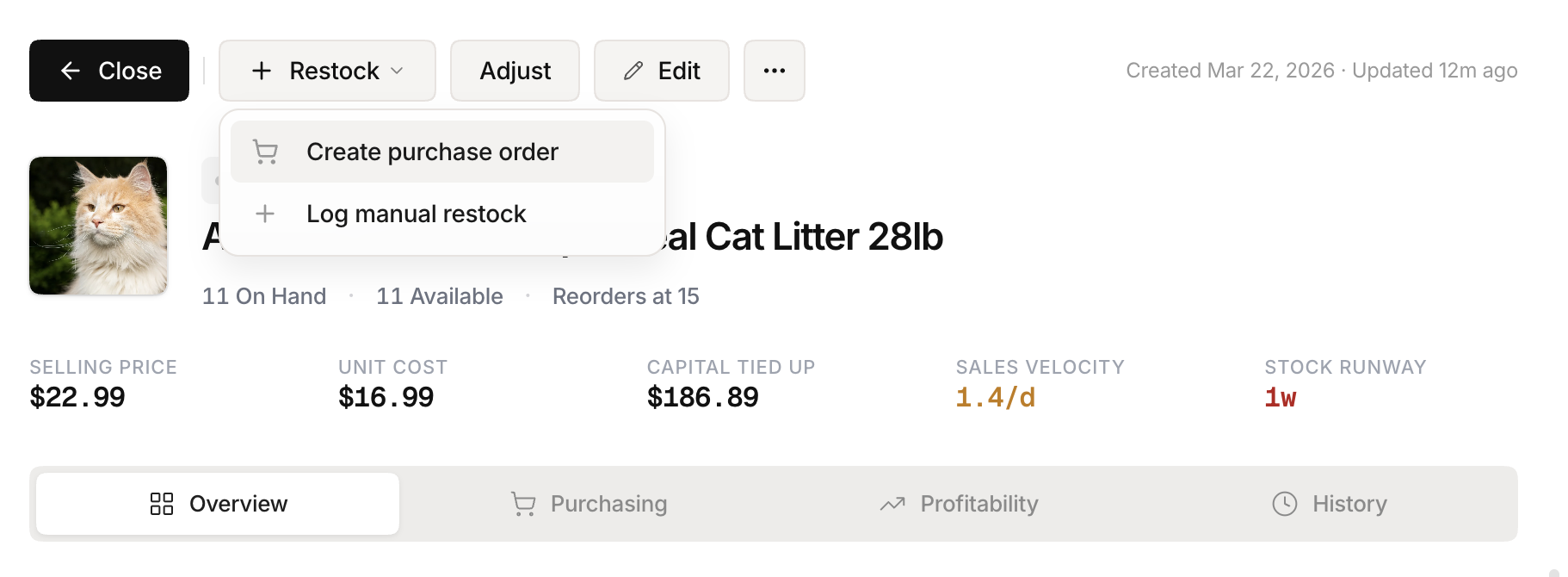 Stockria in action - Reorder point tracking keeps your supply chain on schedule.
Xero has an app marketplace with inventory add-ons that extend its capabilities. These tools sync with Xero for accounting while providing more robust inventory features.
When evaluating add-ons, look for two-way sync so inventory changes flow to Xero and accounting data flows back. One-way sync creates discrepancies. Also check how frequently the sync runs - real-time is ideal, hourly is acceptable, and daily can cause problems during busy periods.
The add-on approach lets you keep Xero for what it does best (accounting) while getting purpose-built inventory management.
When to add dedicated inventory software
The signs are similar to QuickBooks: you have outgrown Xero inventory when you spend significant time on manual data entry that software could automate, stockouts happen because there are no reorder alerts, you need barcode scanning to keep up with volume, managing multiple locations requires workarounds, or reporting limitations prevent you from making good purchasing decisions.
The practical approach
Use Xero inventory until the friction becomes a daily problem. When it does, add a dedicated inventory tool that integrates with Xero rather than replacing Xero entirely. Your accounting stays in a proven platform while your inventory operations move to a tool designed for the job. The integration keeps everything in sync without double data entry.