

The key difference
Inventory management software tracks what you have and where it is. A warehouse management system (WMS) optimizes how you store, pick, pack, and ship it.
Inventory software answers: How many do I have? Where is it? When should I reorder?
A WMS answers: Where should I put this new shipment? What is the fastest pick path for this order? Which dock door should this truck use?
If inventory software is the map, WMS is the GPS with turn-by-turn directions.
What a WMS does

Directed putaway. When inventory arrives, the WMS tells workers exactly where to store it based on item velocity, size, weight, and available space. Instead of workers choosing locations, the system optimizes placement.
Pick path optimization. When orders need to be filled, the WMS plans the most efficient route through the warehouse. It groups orders to minimize walking and sequences picks logically.
Zone and wave management. A WMS divides the warehouse into zones and organizes picks into waves. This lets multiple workers pick simultaneously without getting in each other's way.
Labor management. Track worker productivity, identify bottlenecks, and balance workloads across shifts.
Yard management. Manage incoming and outgoing trucks, assign dock doors, and schedule loading and unloading.
When you need a WMS
You probably need a WMS when you ship more than 200 orders per day, your warehouse is larger than 10,000 square feet, you have more than 5 warehouse workers and coordination becomes a challenge, picking errors are a recurring problem, or you need to maximize throughput in limited space.
If these sound like your situation, the efficiency gains from a WMS can be substantial - often reducing labor costs by 15% to 25% and cutting error rates significantly.
When inventory software is enough
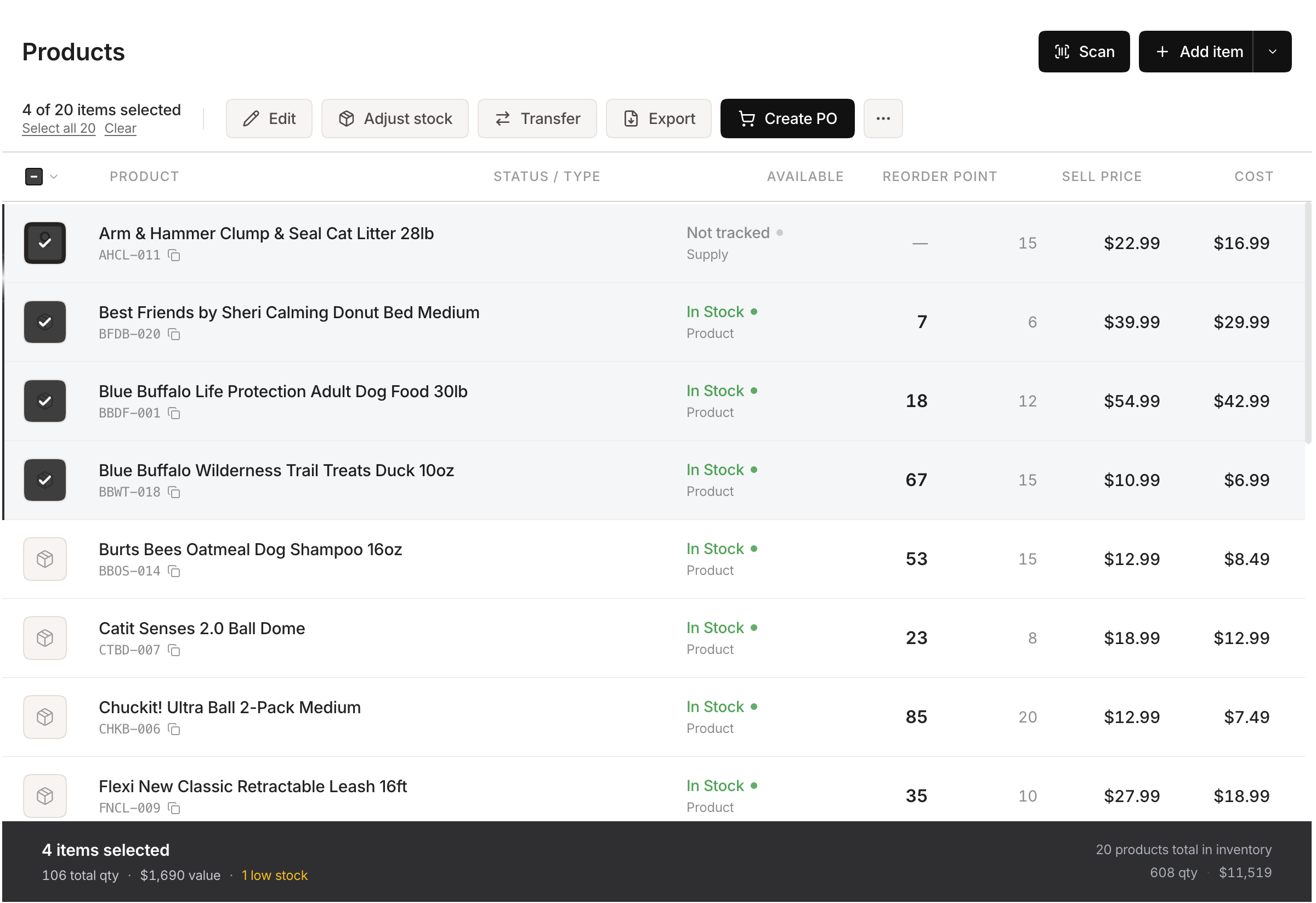 Stockria in action - Edit product details, adjust stock, and track cost from one screen.
For most small businesses, inventory management software covers what you need. If you operate from a small warehouse or stockroom, ship fewer than 50 orders per day, have 1 to 3 people handling warehouse operations, and your main challenge is knowing what you have rather than optimizing how to move it, then inventory software is the right tool.
Adding a WMS when you do not need one means paying for complexity that does not help. WMS software starts at hundreds of dollars per month and the more robust options cost thousands. Implementation takes weeks or months. The ROI only makes sense at scale.
The middle ground
Some inventory management tools include light WMS features - basic location management, pick lists, and receiving workflows. These bridge the gap for businesses that have outgrown basic inventory tracking but do not need a full WMS.
Look for tools that let you assign bin locations, generate pick lists sorted by location, and track receiving against purchase orders. These features add warehouse discipline without WMS complexity.
The growth path
Most businesses follow a natural progression: spreadsheets, then inventory software, then inventory software with warehouse features, then a dedicated WMS. Skip a step and you pay for capabilities you do not use. Wait too long to advance and you lose efficiency. Match the tool to where you are right now, and plan to upgrade when the pain justifies it.