

What does inventory tracking actually mean?
Inventory tracking is knowing what you have, where it is, and how fast it moves. That is it. You need to answer three questions at any given moment: How many units of each product are in stock? Where are those units stored? How quickly are they selling?
When you can answer those questions accurately, you can order the right amounts at the right time, avoid running out of products your customers want, and stop wasting money on products that sit on shelves.
What you should track for every item

At a minimum, record these details for each product:
- Product name and SKU: A unique identifier so there is no confusion between similar items.
- Current quantity: How many units you have right now.
- Location: Which shelf, bin, or storage area holds the product.
- Cost per unit: What you paid for each unit.
- Selling price: What you charge customers.
- Supplier information: Who you order from and their lead time.
- Reorder point: The quantity at which you need to place a new order.
You can add more fields later, but these seven cover the essentials for any small business.
Manual vs software tracking methods
Pen and paper works if you sell fewer than 20 products and operate from one location. Write your inventory in a notebook, update it daily, and count everything weekly. The cost is zero, but errors creep in fast.
Spreadsheets are the next step up. A simple Excel or Google Sheets file lets you sort, filter, and calculate totals. You can build basic formulas to flag low stock. This method works well for businesses with up to 100 SKUs, but it depends on someone manually entering every change.
Inventory software automates the hard parts. It updates quantities when you make a sale or receive a shipment, sends alerts when stock is low, and generates reports without manual work. The tradeoff is cost and setup time, but most small businesses recoup the investment within a few months through fewer mistakes and less labor.
Common mistakes beginners make
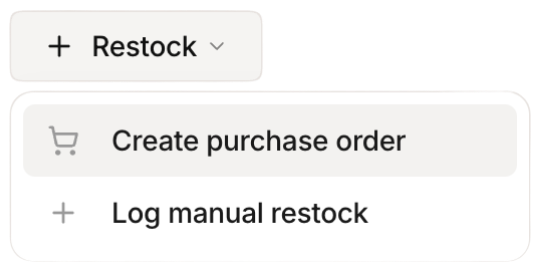 Stockria in action - Restock items with one tap when stock runs low.
Not counting regularly. Your records are only as good as your last count. If you never verify what is actually on the shelf, your numbers will drift from reality.
Tracking too many details too soon. Start with the basics listed above. You can add batch numbers, expiration dates, and warehouse zones later. Overcomplicating your system from the start makes it harder to maintain.
Waiting until there is a problem. Most small businesses start tracking inventory after a costly stockout or a major discrepancy. Start now, even if your current system feels fine. Problems are easier to prevent than fix.
Using one system for everything. Your point-of-sale system, your spreadsheet, and your supplier portal should not each have different inventory numbers. Pick one source of truth and update everything from there.
Building your tracking habit
The biggest challenge with inventory tracking is consistency. Here is a simple daily routine that takes less than 15 minutes:
- Check your sales from the previous day and verify quantities match your records.
- Log any new shipments received.
- Record any adjustments for damaged, returned, or missing items.
- Glance at items approaching their reorder point.
Do this at the same time every day, ideally first thing in the morning or right after closing, and it becomes automatic within two weeks.
When to upgrade your tracking method
If you spend more than 30 minutes a day on inventory tasks, experience frequent count discrepancies, or sell across multiple channels, it is time to move beyond manual methods. The right software eliminates the busywork and lets you focus on growing your business instead of counting boxes.