

The core challenge of ecommerce inventory
Selling online introduces a problem that brick-and-mortar stores rarely face: your customers cannot see the shelf. They trust that the "Add to Cart" button means the item is available. When it is not - when they order something you have already sold - you deal with cancellations, refund requests, and negative reviews.
The problem compounds when you sell on multiple channels. If you have 10 units and list them on your Shopify store, Amazon, and Etsy, a sale on one channel needs to instantly reduce availability on the others. A one-minute delay can mean selling the same unit twice.
How inventory sync works

Inventory sync connects your sales channels to a central inventory count. When a sale happens on any channel, the central count decreases and pushes the updated number to all other channels.
There are three approaches:
Manual updates. You sell an item on Amazon, then log into Shopify and reduce the count by hand. This works for very low volume (under 5 orders per day) but becomes unsustainable quickly. One forgotten update causes an oversell.
Scheduled sync. A tool pulls sales data from each channel every 15-60 minutes and updates counts. Better than manual, but the delay window still allows overselling during busy periods.
Real-time sync. Sales trigger immediate updates across all channels through API connections. This is the standard for any business doing meaningful volume. Most modern inventory tools support this.
Preventing overselling
Beyond real-time sync, there are practical tactics to reduce overselling risk.
Hold back safety stock. If you have 20 units, list 17 or 18 across channels. The buffer absorbs timing gaps in sync and last-minute order surges. This is especially useful during promotions.
Set low-stock alerts. When an item drops below a threshold (say 5 units), you get notified. This gives you time to reorder or pull the listing before it hits zero.
Use a single source of truth. Never update quantities directly in each sales channel. Always update in your central inventory system and let it push to the channels. Editing in multiple places creates conflicting data.
Pre-orders and backorders. If an item sells out, consider switching to pre-order instead of removing the listing. You keep capturing demand while you wait for restocking.
Managing multiple warehouses
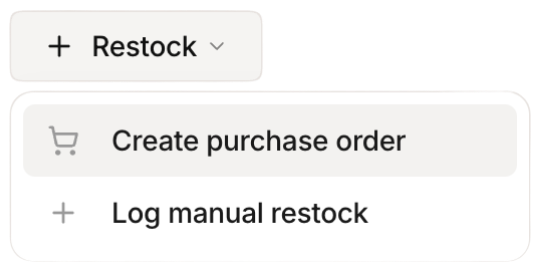 Stockria in action - Restock items with one tap when stock runs low.
Many ecommerce sellers eventually split inventory across locations - a warehouse near the east coast and one near the west coast, or a fulfillment center and a retail location.
Your inventory system needs to track stock at each location separately while showing a combined available quantity on your listings. When an order comes in, the system should route it to the nearest warehouse with available stock.
This gets complicated fast with spreadsheets. A purpose-built inventory system handles the routing logic and keeps location-level counts accurate.
Returns and their impact on inventory
Returns are a fact of ecommerce life. A returned item needs to be inspected, restocked (or written off), and the inventory count updated. Slow return processing means items sit in limbo - not available for sale but not written off either.
Create a standard returns workflow: receive the return, inspect within 24 hours, restock or mark as damaged, update inventory. The faster you process returns, the sooner those items are back in your sellable inventory.
Getting started
If you are selling on a single channel with under 50 SKUs, a spreadsheet might still work. Once you add a second channel or pass 100 SKUs, invest in a proper inventory system. The cost of one overselling incident - the refund, the negative review, the customer service time - usually exceeds a month of software fees. Start with real-time sync and low-stock alerts, and build from there.